
Trades Owners: 5 Step Workflow From Quote to Invoice, Get Paid Faster

A work order authorizes and describes the job before it starts. An invoice is the bill you send after the job is done. Both documents track the same job, but mixing them up, or skipping one, is how contractors end up chasing payment and arguing over what was actually agreed to. Keep them linked and you get paid faster with fewer disputes.
TL;DR:
- Linking and properly updating the work order ensures the invoice accurately reflects actual labor, materials, and scope changes, reducing disputes.
- Accurate invoices must itemize services, labor hours, applicable taxes, and include clear payment terms to prevent customer questions and delays.
- Using separate documents for quotes, work orders, and invoices with signed approval at each stage minimizes scope creep and payment issues.
- Automating workflow from quote approval to job completion and invoicing with integrated software like Forge streamlines processes and improves accuracy.
Table of Contents
- What is a work order and who fills it out
- What is an invoice and why the details matter
- Work order vs invoice: the differences at a glance
- From quote to work order to invoice: the workflow that avoids gaps
- Common mistakes that cause disputes (and how to avoid them)
- Tools, templates, and when to consider software
- Closing out a job: your invoice-ready checklist
- Forge: one place for quotes, work orders, and invoices
- Sources
- FAQ
What is a work order and who fills it out
A work order is the plan for the job, created before anyone shows up with a toolbox. It tells your technician what to do, where to go, and what the customer expects. Think of it as the instruction sheet that keeps everyone, office staff, the crew, and the customer, on the same page before a wrench gets turned.
A well-designed work order should spell out the scope of work, estimates for labour and materials, a completion date, and a signed approval. Without that approval, you’re relying on a verbal agreement, which rarely holds up if the customer disputes the bill later.
For most trades, a solid work order template includes:
- Job description and scope of work
- Customer name, site address, and contact details
- Assigned technician or crew
- Estimated hours and materials needed
- Scheduled date and completion deadline
- Space for the customer’s signature or approval
An HVAC tech dispatched to replace a furnace blower motor needs a work order that names the part, the estimated labour time, and who signed off on the repair. A landscaping crew starting a multi-day retaining wall job needs one that breaks out the phases so nobody argues later about what was included in the original scope. Roofers dealing with insurance claims lean on work orders even harder, since adjusters often want to see documented authorization before repairs begin.
What is an invoice and why the details matter
An invoice is the formal request for payment you send once the work is finished. It’s the document your accounting system, and the tax authorities, actually care about. A work order tells the crew what to do; an invoice tells the customer what they owe.
According to FreshBooks’ guidance on work order accounting, work orders tend to be internal planning documents, while invoices are the formal bills that feed your books and your tax records. That distinction matters when it’s time to file your HST or GST return, since invoices are the paper trail auditors and bookkeepers rely on.
A proper invoice needs:
- Itemized list of services or materials provided
- Labour hours and rates, clearly broken out
- Applicable taxes calculated separately
- Total amount due
- Payment terms (due on receipt, net 15, net 30)
- Payment methods accepted
- Invoice number and date for your records
Vague invoices cause vague disputes. If a customer sees “HVAC repair, $850” with no breakdown, they’re more likely to question it than if they see the parts, the hours, and the tax listed line by line. Clear invoices don’t just look professional, they close the door on arguments before they start.
Work order vs invoice: the differences at a glance
The core difference comes down to timing and purpose. A work order comes first and authorizes the job. An invoice comes after and collects payment for it.
| Factor | Work order | Invoice |
|---|---|---|
| Created | Before the job starts | After the job finishes |
| Purpose | Authorize and describe the work | Request and record payment |
| Typical audience | Crew, dispatcher, sometimes the customer | Customer, bookkeeper, tax records |
| Who signs it | Technician and customer (approval) | Customer approves by paying |
| Feeds into | The job file and the invoice | Accounting and tax filings |
A few quick rules of thumb worth remembering:
- If the job hasn’t started, you need a work order, not an invoice.
- If the job is done and you’re waiting on money, that’s invoice territory.
- Combining the two into one document might work for a $60 drain-snaking call, but for anything with real labour or material costs, keeping them separate reduces disputes.
From quote to work order to invoice: the workflow that avoids gaps
Most payment delays trace back to a gap somewhere in this chain: quote, work order, invoice. Close the gaps and the money moves faster.
- Convert the accepted quote into a signed work order. Once a customer approves a quote, turn it into a work order with the agreed scope, materials, and price locked in.
- Capture approvals, photos, and timestamps on site. Have the technician note start and finish times, snap before-and-after photos, and get a signature confirming the work was completed as described.
- Update the work order to reflect what actually happened. If the plumber found a bigger leak than expected, or the electrician swapped in different wire gauge, the work order needs to show that, not just the original estimate.
- Trigger invoice generation from the finished work order. Once the job’s closed out, the invoice should pull straight from the updated work order, not be built from scratch.
- Apply deposits or progress billing where relevant. Bigger jobs, like a kitchen renovation or a full HVAC system swap, often call for a deposit up front and progress invoices at set milestones.
Pro Tip: Treat the work order as the single source of truth for the job. If your office staff, your crew, and your invoice all pull from the same updated document, you cut down on the “wait, that’s not what we agreed to” calls that stall payment.
Common mistakes that cause disputes (and how to avoid them)
The biggest mistake trades businesses make is treating the estimate, the work order, and the invoice as one interchangeable document. They’re not, and blurring the lines is where disputes start.
- Don’t reuse the original estimate as the final invoice. If materials or hours changed, the invoice needs to reflect reality, not the guess you made three weeks ago.
- Keep versioned records. If the scope changed mid-job, save both the original work order and the updated one instead of overwriting it.
- Get written approval for every change order. A verbal “yeah, go ahead and add that” from the customer means nothing if they refuse to pay for it later.
- Attach the signed work order to the invoice. This one habit alone cuts down on payment disputes more than almost anything else, because it gives the customer a clear record of what they approved.
- Follow up quickly after sending the invoice. A short call or text a few days after the invoice goes out, confirming the customer received it and asking if they have questions, tends to speed up payment.
Pro Tip: If a job runs long or the scope shifts, get the customer’s sign-off on a change order the same day, not at the end of the project when memories (and goodwill) have faded.
Tools, templates, and when to consider software
For very small operations handling few jobs, a basic Word or Excel template might be sufficient. Contractable’s work order template guide is a good starting point if you want to build your own from scratch.
Once you’re juggling multiple crews, recurring maintenance contracts, or enough jobs that paper is slowing you down, field service apps and CMMS (computerized maintenance management system) platforms start to earn their keep. IBM’s overview of work order management points out that these systems don’t just track jobs, they link work orders directly to invoicing and asset history, so nothing falls through the cracks.
Whatever tool you pick, check for a few things before committing:
- Signature capture on-site, not just a paper form someone forgets to scan
- Timestamps for job start and completion
- Easy reconciliation between the work order and the invoice, so you’re not retyping the same details twice
Some software tools keep customers, quotes, work orders, and invoices in one place, so a completed job flows into an invoice without your office staff re-entering everything from a clipboard. Getting document flow right also matters on the accounting side. SzopaLabs’ breakdown of document circulation in accounting shows how much time a clean paper trail saves once the job hits the books.
Closing out a job: your invoice-ready checklist
Once the work is done, run through this before you send anything to the customer.
- Verify actual hours and materials against the original estimate, and note any differences directly on the work order.
- Capture the customer’s signature and photo proof of completed work, referencing any approved change orders.
- Apply deposits already collected, then calculate taxes and the final total owed.
- Attach the signed, updated work order to the invoice so there’s a clear record backing every line item.
- Send the invoice with clear payment instructions, including due date, accepted payment methods, and who to contact with questions.
A practical habit worth building in: update the original work order with actual labour and materials before you generate the invoice. It’s a small step, but it’s one of the most reliable ways to make sure the bill matches reality and holds up if the customer questions it.
Forge: one place for quotes, work orders, and invoices
Chasing paperwork across three different systems, a quoting app, a notes file for work orders, and separate invoicing software, is how details get lost between the job site and the bill. Forge is built to close that gap for small trades businesses. Instead of retyping the same job details three times, you move a job from quote to work order to invoice in one place, with the job history attached the whole way through.
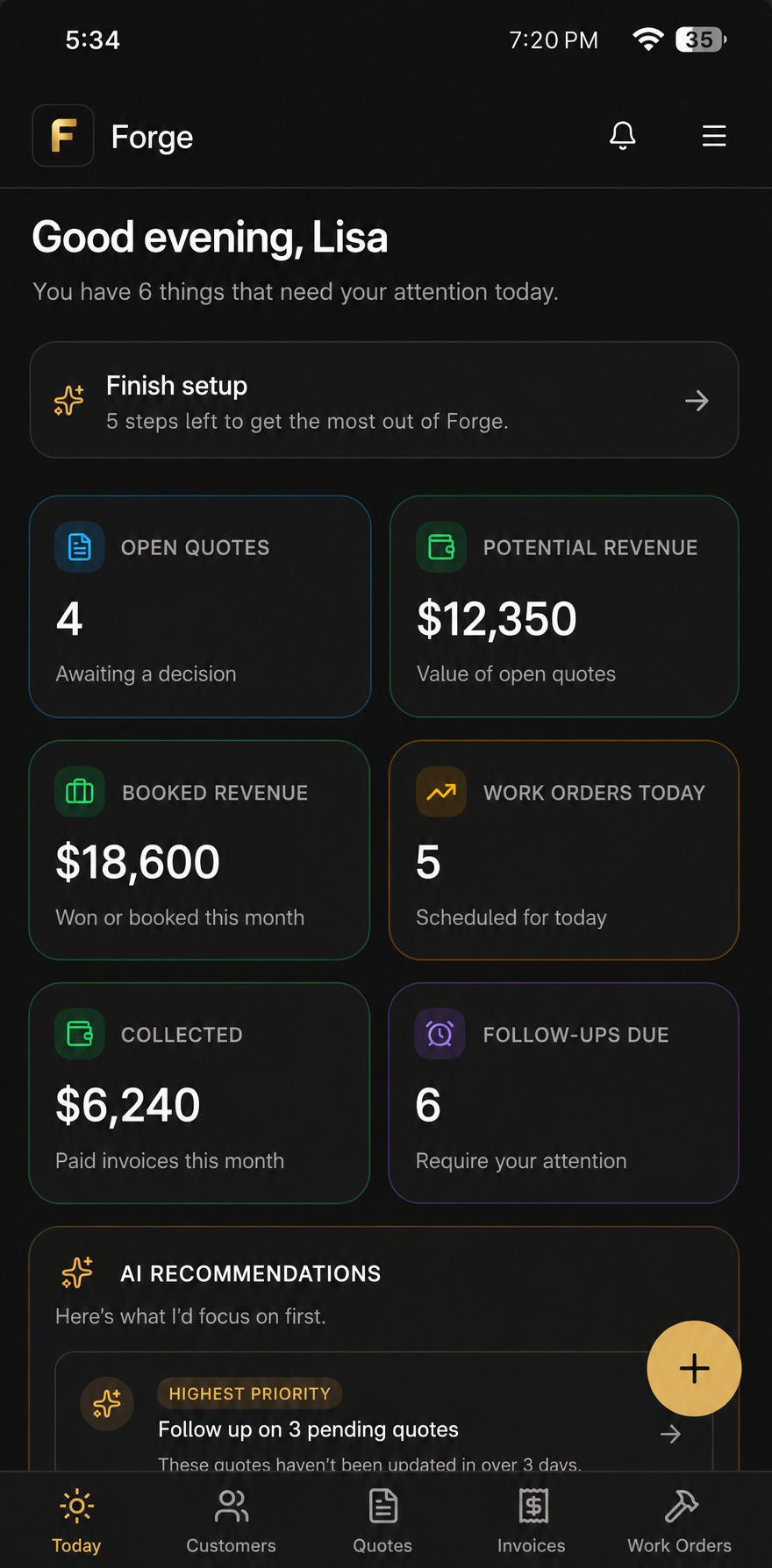
That matters most at closeout, when you’re trying to remember exactly what changed on-site and match it to what the customer approved. These tools keep customers, quotes, work orders, and invoices connected, so your office isn’t hunting through texts and spreadsheets to figure out what’s owed. If you’re tired of gaps between what got done and what got billed, take a look at Forge’s product page and see how it fits your workflow.
Sources
For deeper reading on building your own documents, Contractable’s work order template guide and IBM’s overview of work order management cover the fundamentals well. FreshBooks’ work order accounting guide explains the bookkeeping side in more detail.
- Work order template: how to write one | Contractable
- Work orders explained and how CMMS/EAM software helps | IBM
- What is work order accounting? | FreshBooks
- Work order vs. invoice | Chron / Small Business
FAQ
Can a work order be used as an invoice?
For very small, simple jobs it’s sometimes done, but combining the two increases the risk of scope disputes on anything beyond trivial work. Best practice is to keep them separate and attach the signed work order to the invoice when you close the job.
What is the purpose of a work order?
A work order authorizes and describes a job before it starts, giving the crew clear instructions and giving the customer a record of what they approved. It becomes the basis for the invoice once the job is finished.
What is an example of a work order?
A common example is an HVAC service call form listing the customer’s address, the reported problem, the technician assigned, estimated parts and labour, and a signature line for approval before the repair begins.
What is the difference between order and invoice?
A work order is created before the job to authorize and plan the work, while an invoice is created after the job to formally request payment. One kicks off the job, the other closes it out financially.